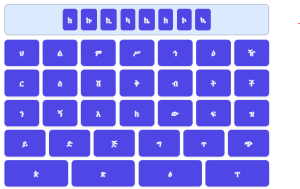
Hello, everyone! Welcome back to EasyAmharic.com. In today’s post, I’m excited to show you a super easy way to type in Amharic on your computer using your regular keyboard. And the best part? You don’t need to download any extra software! The Amharic keyboard is already built into your computer’s system; you just need to enable it.
If you read this post or watch this video until the end, you’ll not only learn how to write in Amharic, but you’ll also see just how simple and beautiful the Amharic script is.
Step 1: Enabling the Amharic Keyboard
Let’s start by getting that Amharic keyboard installed on your computer. It’s a quick process:
- Go to your Start Menu (usually the Windows icon in the bottom left corner).
- Type “language” in the search bar.
- Click on “Edit language and keyboard options” (or similar wording depending on your Windows version).
- Within the language settings, click on “Add a language.”
- Scroll through the list or type “Amharic” to find it.
- Click on “Amharic” and then “Next.”
- Make sure the “Install language pack” option is checked, and then click “Install.”
That’s it! Your computer will now enable the Amharic keyboard. You don’t need to download any additional software. Once it’s installed, you can start using it right away!
How to Type in Amharic: The Simple Rule
You’ve installed the Amharic keyboard, after you install the keyboard, go to the bottom right side of your computer or press the Windows key + Spacebar to switch the language to Amharic.
Great. Now switched the language to Amharic. Here’s the basic formula:
Press the Latin Consonant Key + Vowel Key = Amharic Character
You’ll type the English letter that represents the Amharic consonant sound, followed by the English vowel that represents the Amharic vowel sound. Let’s dive into the Complete Amharic Keyboard Typing Manual.
The ሀ / ሐ / ኀ Families (H sounds)
There are three different types of ‘He’ letters in Amharic, each represented by a unique character family. The keyboard differentiates them by how many times you press the ‘H’ key.
- For ‘ሀ’ (He) and its family: This is the most common ‘H‘ sound. Simply press H once for the consonant.
ሀ → H + E = ሀ
ሁ → H + U = ሁ
ሂ → H + I = ሂ
ሃ → H + A = ሃ
ሄ → H + IE = ሄ
ህ → H = ህ
ሆ → H + O = ሆ
ኋ → H + UA = ኋ
- For ‘ለ’ (Le) and its family: Type L followed by the vowel.
ለ → L + E = ለ
ሉ → L + U = ሉ
ሊ → L + I = ሊ
ላ → L + A = ላ
ሌ → L + IE = ሌ
ል → L = ል
ሎ → L + O = ሎ
ሏ → L + UA = ሏ
- For ‘ሐ’ (He) and its family: To type it, press H twice for the consonant.
ሐ → HH + E = ሐ
ሑ → HH + U = ሑ
ሒ → HH + I = ሒ
ሓ → HH + A = ሓ
ሔ → HH + IE = ሔ
ሕ → HH = ሕ
ሖ → HH + O = ሖ
ሗ → HH + UA = ሗ
- For ‘ኀ’ (He) and its family: This ‘H’ sound is less common in modern Amharic but is present in older texts and some proper nouns. To type it, press H three times for the consonant.
ኀ → HHH + E = ኀ
ኁ → HHH + U = ኁ
ኂ → HHH + I = ኂ
ኃ → HHH + A = ኃ
ኄ → HHH + IE = ኄ
ኅ → HHH = ኅ
ኆ → HHH + O = ኆ
ኋ → HHH + UA = ኋ
- For ‘መ’ (Me) and its family: Type M followed by the vowel.
መ → M + E = መ
ሙ → M + U = ሙ
ሚ → M + I = ሚ
ማ → M + A = ማ
ሜ → M + IE = ሜ
ም → M = ም
ሞ → M + O = ሞ
ሟ → M + UA = ሟ
- For ‘ሰ’ (Se) and its family: This is the common ‘S’ sound. Type S followed by the vowel.
ሰ → S + E = ሰ
ሱ → S + U = ሱ
ሲ → S + I = ሲ
ሳ → S + A = ሳ
ሴ → S + IE = ሴ
ስ → S = ስ
ሶ → S + O = ሶ
ሷ → S + UA = ሷ
- For ‘ሠ’ (Se) and its family: This is a less common ‘S’ sound, often found in proper nouns and older words. To type it, press S twice for the consonant.
ሠ → SS + E = ሠ
ሡ → SS + U = ሡ
ሢ → SS + I = ሢ
ሣ → SS + A = ሣ
ሤ → SS + IE = ሤ
ሥ → SS = ሥ
ሦ → SS + O = ሦ
ሧ → SS + UA = ሧ
- For ‘ረ’ (Re) and its family: Type R followed by the vowel.
ረ → R + E = ረ
ሩ → R + U = ሩ
ሪ → R + I = ሪ
ራ → R + A = ራ
ሬ → R + IE = ሬ
ር → R = ር
ሮ → R + O = ሮ
ሯ → R + UA = ሯ
- For ‘ሸ’ (She) and its family: This represents the ‘Sh’ sound. Type X followed by the vowel (X is commonly mapped to ‘Sh’ in Amharic keyboard layouts).
ሸ → X + E = ሸ
ሹ → X + U = ሹ
ሺ → X + I = ሺ
ሻ → X + A = ሻ
ሼ → X + IE = ሼ
ሽ → X = ሽ
ሾ → X + O = ሾ
ሿ → X + UA = ሿ
- For ‘ቀ’ (Qe) and its family: This is an ejective ‘Q’ sound. Type Q followed by the vowel.
ቀ → Q + E = ቀ
ቁ → Q + U = ቁ
ቂ → Q + I = ቂ
ቃ → Q + A = ቃ
ቄ → Q + IE = ቄ
ቅ → Q = ቅ
ቆ → Q + O = ቆ
ቋ → Q + UA = ቋ
- For ‘በ’ (Be) and its family: Type B followed by the vowel.
በ → B + E = በ
ቡ → B + U = ቡ
ቢ → B + I = ቢ
ባ → B + A = ባ
ቤ → B + IE = ቤ
ብ → B = ብ
ቦ → B + O = ቦ
ቧ → B + UA = ቧ
- For ‘ቨ’ (Ve) and its family: Type V followed by the vowel.
ቨ → V + E = ቨ
ቩ → V + U = ቩ
ቪ → V + I = ቪ
ቫ → V + A = ቫ
ቬ → V + IE = ቬ
ቭ → V = ቭ
ቮ → V + O = ቮ
- For ‘ቸ’ (Che) and its family: This represents the ‘Ch’ sound as in ‘church’. Type C followed by the vowel.
ቸ → C + E = ቸ
ቹ → C + U = ቹ
ቺ → C + I = ቺ
ቻ → C + A = ቻ
ቼ → C + IE = ቼ
ች → C = ች
ቾ → C + O = ቾ
ቿ → C + UA = ቿ
- For ‘ጨ’ (Che) and its family: This is an ejective ‘Ch’ sound. To type it, hold Shift and press C for the consonant, followed by the vowel.
ጨ → SHIFT + C + E = ጨ
ጩ → SHIFT + C + U = ጩ
ጪ → SHIFT + C + I = ጪ
ጫ → SHIFT + C + A = ጫ
ጬ → SHIFT + C + IE = ጬ
ጭ → SHIFT + C = ጭ
ጮ → SHIFT + C + O = ጮ
ጯ → SHIFT + C + UA = ጯ
- For ‘ነ’ (Ne) and its family: Type N followed by the vowel.
ነ → N + E = ነ
ኑ → N + U = ኑ
ኒ → N + I = ኒ
ና → N + A = ና
ኔ → N + IE = ኔ
ን → N = ን
ኖ → N + O = ኖ
ኗ → N + UA = ኗ
- For ‘ኘ’ (Nye) and its family: This represents the ‘Ny’ or ‘Gn’ sound as in lasagna. Type N followed by Y for the consonant, then the vowel.
ኘ → NY + E = ኘ
ኙ → NY + U = ኙ
ኚ → NY + I = ኚ
ኛ → NY + A = ኛ
ኜ → NY + IE = ኜ
ኝ → NY = ኝ
ኞ → NY + O = ኞ
ኟ → NY + UA = ኟ
- For ‘አ’ (A) and its family: This is the most common ‘A’ vowel. You’ll simply type the vowel key.
አ → A = አ
ኡ → U = ኡ
ኢ → I = ኢ
ኣ → AA = ኣ
ኤ → IE = ኤ
እ → E = እ
ኦ → O = ኦ
- For ‘ዐ’ (A) and its family: This ‘A’ sound is an ejective stop, more prominent in some words. To type it, press A three times for the consonant.
ዐ → AAA = ዐ
ዑ → AAA + U = ዑ
ዒ → AAA + I = ዒ
ዓ → AAA + A = ዓ
ዔ → AAA + IE = ዔ
ዕ → EEE = ዕ
ዖ → AAA + O = ዖ
- For ‘ከ’ (Ke) and its family: Type K followed by the vowel.
ከ → K + E = ከ
ኩ → K + U = ኩ
ኪ → K + I = ኪ
ካ → K + A = ካ
ኬ → K + IE = ኬ
ክ → K = ክ
ኮ → K + O = ኮ
ኳ → K + UA = ኳ
- For ‘ኸ’ (KHe) and its family: This represents a guttural ‘Kh’ sound. To type it, hold Shift and press K for the consonant, followed by the vowel.
ኸ → SHIFT + K + E = ኸ
ኹ → SHIFT + K + U = ኹ
ኺ → SHIFT + K + I = ኺ
ኻ → SHIFT + K + A = ኻ
ኼ → SHIFT + K + IE = ኼ
ኽ → SHIFT + K = ኽ
ኾ → SHIFT + K + O = ኾ
- For ‘ወ’ (We) and its family: Type W followed by the vowel.
ወ → W + E = ወ
ዉ → W + U = ዉ
ዊ → W + I = ዊ
ዋ → W + A = ዋ
ዌ → W + IE = ዌ
ው → W = ው
ዎ → W + O = ዎ
- For ‘ዘ’ (Ze) and its family: This is the common ‘Z’ sound. Type Z followed by the vowel.
ዘ → Z + E = ዘ
ዙ → Z + U = ዙ
ዚ → Z + I = ዚ
ዛ → Z + A = ዛ
ዜ → Z + IE = ዜ
ዝ → Z = ዝ
ዞ → Z + O = ዞ
ዟ → Z + UA = ዟ
- For ‘ዠ’ (Zhe) and its family: This represents the ‘Zh’ sound as in ‘measure’. To type it, hold Shift and press Z for the consonant, followed by the vowel.
ዠ → SHIFT + Z + E = ዠ
ዡ → SHIFT + Z + U = ዡ
ዢ → SHIFT + Z + I = ዢ
ዣ → SHIFT + Z + A = ዣ
ዤ → SHIFT + Z + IE = ዤ
ዥ → SHIFT + Z = ዥ
ዦ → SHIFT + Z + O = ዦ
- For ‘የ’ (Ye) and its family: Type Y followed by the vowel.
የ → Y + E = የ
ዩ → Y + U = ዩ
ዪ → Y + I = ዪ
ያ → Y + A = ያ
ዬ → Y + IE = ዬ
ይ → Y = ይ
ዮ → Y + O = ዮ
- For ‘ደ’ (De) and its family: Type D followed by the vowel.
ደ → D + E = ደ
ዱ → D + U = ዱ
ዲ → D + I = ዲ
ዳ → D + A = ዳ
ዴ → D + IE = ዴ
ድ → D = ድ
ዶ → D + O = ዶ
ዷ → D + UA = ዷ
- For ‘ጀ’ (Je) and its family: Type J followed by the vowel.
ጀ → J + E = ጀ
ጁ → J + U = ጁ
ጂ → J + I = ጂ
ጃ → J + A = ጃ
ጄ → J + IE = ጄ
ጅ → J = ጅ
ጆ → J + O = ጆ
- For ‘ገ’ (Ge) and its family: Type G followed by the vowel.
ገ → G + E = ገ
ጉ → G + U = ጉ
ጊ → G + I = ጊ
ጋ → G + A = ጋ
ጌ → G + IE = ጌ
ግ → G = ግ
ጎ → G + O = ጎ
ጓ → G + UA = ጓ
- For ‘ተ’ (Te) and its family: This is the common ‘T’ sound. Type T followed by the vowel.
ተ → T + E = ተ
ቱ → T + U = ቱ
ቲ → T + I = ቲ
ታ → T + A = ታ
ቴ → T + IE = ቴ
ት → T = ት
ቶ → T + O = ቶ
ቷ → T + UA = ቷ
- For ‘ጠ’ (Te) and its family: This is an ejective ‘T’ sound. To type it, hold Shift and press T for the consonant, followed by the vowel.
ጠ → SHIFT + T + E = ጠ
ጡ → SHIFT + T + U = ጡ
ጢ → SHIFT + T + I = ጢ
ጣ → SHIFT + T + A = ጣ
ጤ → SHIFT + T + IE = ጤ
ጥ → SHIFT + T = ጥ
ጦ → SHIFT + T + O = ጦ
ጧ → SHIFT + T + UA = ጧ
- For ‘ጰ’ (Pe) and its family: This is an ejective ‘P’ sound. To type it, hold Shift and press P for the consonant, followed by the vowel.
ጰ → SHIFT + P + E = ጰ
ጱ → SHIFT + P + U = ጱ
ጲ → SHIFT + P + I = ጲ
ጳ → SHIFT + P + A = ጳ
ጴ → SHIFT + P + IE = ጴ
ጵ → SHIFT + P = ጵ
ጶ → SHIFT + P + O = ጶ
- For ‘ጸ’ (Tse) and its family: This is the common ‘Ts’ sound. Type Ts followed by the vowel.
ጸ → TS + E = ጸ
ጹ → TS + U = ጹ
ጺ → TS + I = ጺ
ጻ → TS + A = ጻ
ጼ → TS + IE = ጼ
ጽ → TS = ጽ
ጾ → TS + O = ጾ
ጿ → TS + UA = ጿ
- For ‘ፀ’ (Tse) and its family: This is a less common ‘Ts’ sound, sometimes used interchangeably or in specific contexts. To type it, press T twice, then S for the consonant, followed by the vowel.
ፀ → TTS + E = ፀ
ፁ → TTS + U = ፁ
ፂ → TTS + I = ፂ
ፃ → TTS + A = ፃ
ፄ → TTS + IE = ፄ
ፅ → TTS = ፅ
ፆ → TTS + O = ፆ
- For ‘ፈ’ (Fe) and its family: Type F followed by the vowel.
ፈ → F + E = ፈ
ፉ → F + U = ፉ
ፊ → F + I = ፊ
ፋ → F + A = ፋ
ፌ → F + IE = ፌ
ፍ → F = ፍ
ፎ → F + O = ፎ
ፏ → F + UA = ፏ
- For ‘ፐ’ (Pe) and its family: Type P followed by the vowel.
ፐ → P + E = ፐ
ፑ → P + U = ፑ
ፒ → P + I = ፒ
ፓ → P + A = ፓ
ፔ → P + IE = ፔ
ፕ → P = ፕ
ፖ → P + O = ፖ
Congratulations! You’ve done the hard work.
Now that you can read and type Amharic on your smartphone and computer. It’s time to learn some of the most useful words you’ll encounter every day. We’ll begin with numbers because they appear everywhere, from prices and phone numbers to dates and time.
Conclusion
And there you have it! Typing in Amharic on your computer is much simpler than you might have thought. With the built-in Amharic keyboard and these straightforward rules – including the clever use of repeated consonant keys and the Shift key for similar-sounding characters – you can start expressing yourself in this beautiful script right away. Practice makes perfect, so give it a try and get comfortable with the character families.